Right now, your WordPress site might be quietly losing rankings and driving potential customers away — and you’d never know it from looking at your dashboard. Google has made it clear: how your site feels to real visitors directly impacts where you show up in search results. The metrics that measure that experience are called Core Web Vitals, and in 2026, they’re more important than ever.
Core Web Vitals are a set of three specific page experience metrics that Google uses to evaluate how users experience your website. They measure loading speed, interactivity, and visual stability — the things that determine whether a visitor stays on your page or hits the back button. For WordPress site owners, understanding these metrics isn’t optional anymore. It’s the difference between ranking on page one and being buried on page three.
The Three Core Web Vitals Explained
Each Core Web Vital measures a different dimension of user experience. Here’s what they are and what they mean for your WordPress site.
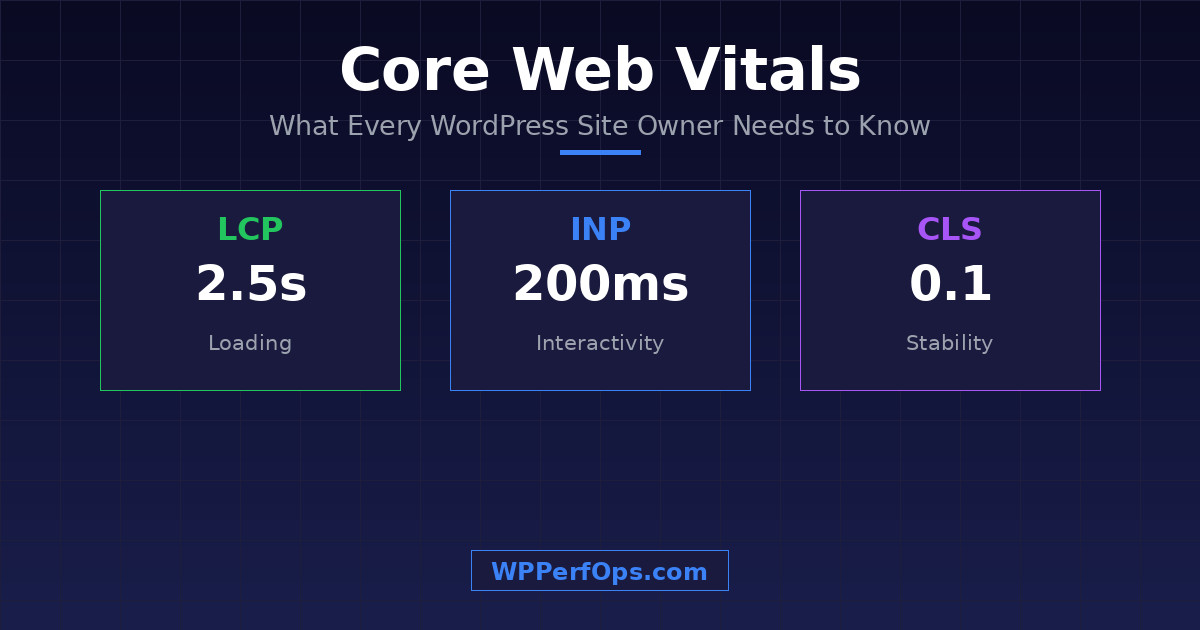
LCP
Largest Contentful Paint
≤ 2.5s
Measures loading performance — how long it takes for the largest visible element to fully render. Usually your hero image or main text block.
INP
Interaction to Next Paint
≤ 200ms
Measures responsiveness — how quickly your site reacts when a user clicks, taps, or interacts. Replaced FID in 2024.
CLS
Cumulative Layout Shift
≤ 0.1
Measures visual stability — whether elements jump around as the page loads. Caused by images without dimensions, font swaps, and dynamic content.
For WordPress sites, slow LCP is often caused by unoptimized hero images, no page caching, slow server response times, or render-blocking CSS and JavaScript. INP suffers when too many plugins inject JavaScript that competes for the browser’s main thread. And CLS problems come from images without explicit width and height, web fonts causing text reflow, and dynamically injected content.
How to Check Your Core Web Vitals
Before you can fix anything, you need to know where you stand. Here are the best tools to measure your Core Web Vitals:
- Google PageSpeed Insights — The quickest way to check. Enter any URL and get both lab data (simulated) and field data (real users). Focus on the field data section if it’s available — that’s what Google actually uses for ranking.
- Google Search Console — Under “Core Web Vitals” in the Experience section, you’ll see site-wide data grouped by mobile and desktop. This shows you which URLs are Good, Need Improvement, or Poor based on real visitor data.
- WebPageTest — For a deeper dive. It shows detailed waterfall charts so you can see exactly which resources are loading, in what order, and what’s blocking your critical rendering path.
Scores are grouped into three buckets: Good (green), Needs Improvement (yellow), and Poor (red). Your goal is to get all three Core Web Vitals into the green zone for at least 75% of your page loads.
The 5 Most Common WordPress Core Web Vitals Problems
After optimizing hundreds of WordPress sites, we see the same issues come up again and again. Here are the five most common problems dragging down Core Web Vitals scores.
1
Unoptimized Images
The single biggest offender. Sites serving full-resolution PNGs or JPEGs when they should be using WebP or AVIF. Images without explicit width and height cause layout shifts. Images above the fold that aren’t preloaded delay LCP. A single unoptimized hero image can add 3-5 seconds to your LCP.
2
Too Many Plugins Loading Render-Blocking Scripts
Every plugin can add its own CSS and JavaScript — many load on every page, even where not needed. A contact form plugin loading scripts on your homepage. A slider plugin injecting CSS on blog posts. We regularly see sites loading 20-30 separate script files when they only need 5-6.
3
No Caching Strategy
WordPress generates pages dynamically by querying the database on every request. Without caching, every visitor triggers PHP execution and database queries. You need page caching, object caching (Redis/Memcached), and browser caching with proper cache headers.
4
Poor Hosting or No CDN
Your server’s response time (TTFB) sets the floor for your LCP. If your server takes 800ms to respond, your LCP can never be faster than that plus render time. A CDN puts static assets on servers worldwide so visitors get content from the nearest location.
5
Heavy Themes and Page Builders
Many popular themes and page builders generate massive DOM bloat. A simple section that could be 10 elements becomes 50-60 nested divs with inline styles. This slows rendering (LCP), makes interactions sluggish (INP), and causes layout shifts (CLS).
Want a Deeper Diagnostic?
These five problems are just the start. Our complete guide covers 15 WordPress speed mistakes that are killing your site — with specific fixes for each one, from server configuration to database cleanup.
Quick Wins to Improve Each Metric
You don’t need a complete overhaul to see improvements. Here are targeted fixes for each Core Web Vital.
Improve LCP
- Preload your hero image with
<link rel="preload">so the browser fetches it immediately - Convert images to WebP or AVIF format (30-50% smaller than JPEG)
- Enable page caching so the server returns static HTML instead of processing PHP
- Inline critical CSS so the browser doesn’t wait for an external stylesheet to start rendering
Improve INP
- Defer non-critical JavaScript using the
deferorasyncattribute - Audit your plugins — deactivate unused ones, and conditionally load scripts only where needed
- Reduce DOM size by switching from a heavy page builder to a lightweight block theme
- Break up long JavaScript tasks into smaller chunks so the main thread stays responsive
Improve CLS
- Always set explicit
widthandheightattributes on images and videos - Use
font-display: swapin your @font-face rules to prevent invisible text during font loading - Reserve space for ads, embeds, and dynamic content with CSS
min-heightoraspect-ratio - Avoid injecting content above the fold after the page has started rendering
When DIY Isn’t Enough
The quick wins above can make a real difference, but there’s a ceiling to what you can achieve with plugins and basic settings alone. Some of the most impactful optimizations require server-level access — configuring Nginx or LiteSpeed rules, setting up Redis object caching, tuning OPcache, and implementing proper HTTP/2 or HTTP/3 push. Database optimization needs careful handling: cleaning up post revisions, transients, and autoloaded options without breaking anything requires knowing exactly what’s safe to touch.
Then there’s the compounding complexity. A single fix in isolation might seem simple, but getting all three Core Web Vitals into the green simultaneously — while keeping your site functional, your plugins working, and your content looking right — is where professional optimization separates from guesswork. We’ve optimized over 200 WordPress sites with a proven methodology that addresses every layer of the stack, from server configuration to front-end delivery. The result: measurable, lasting improvements that show up in both your PageSpeed scores and your bottom line.
Keep Learning
Core Web Vitals are just the metrics. These guides cover the specific optimization techniques that move the needle.
Fix Your LCP
WordPress Image Optimization Guide
Formats, compression, lazy loading, and preloading — everything that impacts your Largest Contentful Paint.
The Full Framework
Speed Optimization Checklist
A 33-step framework covering every optimization layer from server to monitoring.
Fix Your TTFB
WordPress Hosting for Speed
How to evaluate hosting options and know when it’s time to migrate for better performance.
Take the First Step
Core Web Vitals aren’t just a technical checkbox — they directly impact your search rankings, your conversion rates, and ultimately your revenue. Every day your site underperforms is a day you’re leaving money on the table.
Not Sure Where Your Site Stands?
Get a free mini performance audit that shows you exactly what’s holding your site back — specific, actionable insights with no obligations.